Is remote work
actually productive?
In this article, let’s explore the ongoing trends and how SearchInform TimeInformer can help you with measuring the productivity of your remote workforce.
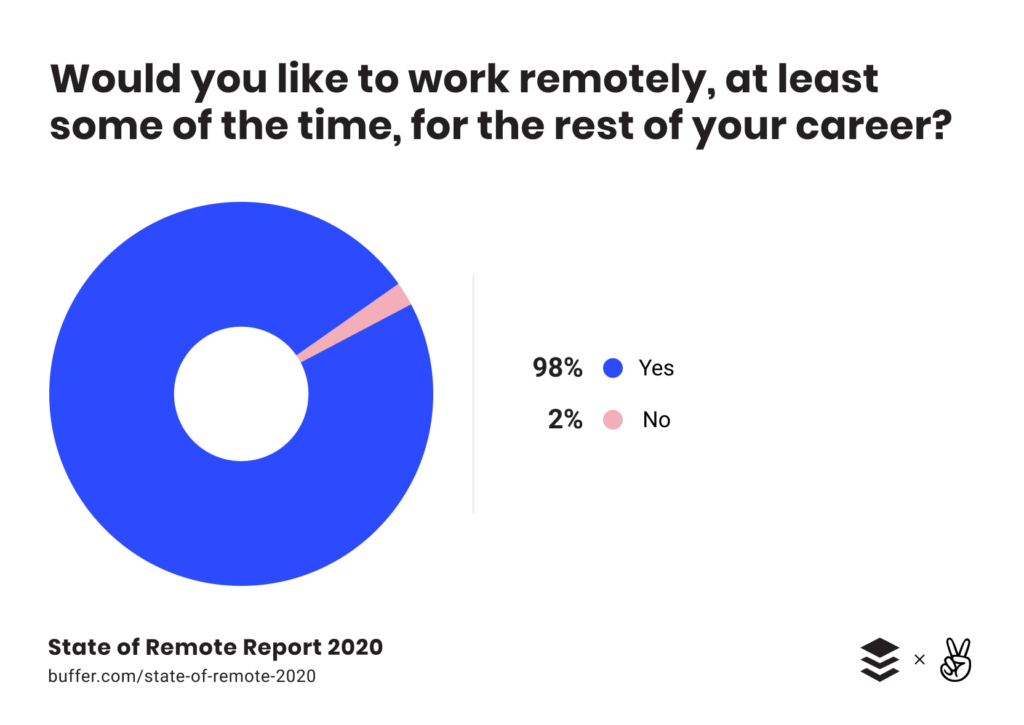
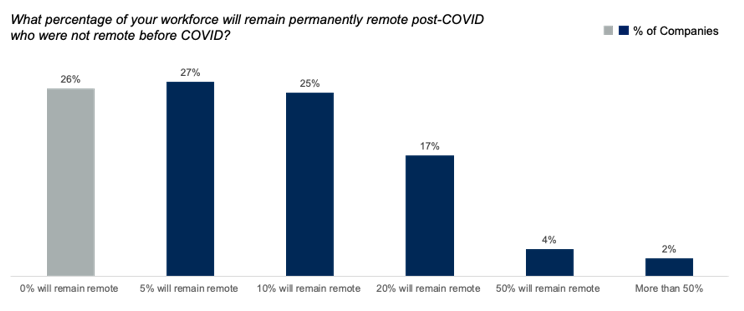
The World Health Organization officially declared Covid-19 a pandemic on March 11. Within a few weeks, an estimated 16 million U.S. knowledge workers had switched to working remotely to flatten the curve of the health crisis, according to a survey by Slack.
Productivity: The data shows us that newly remote workers are struggling to stay productive. Nearly one-third of newly remote workers say that working from home has negatively affected their productivity, compared with only 13% of experienced remote workers. Many are juggling family responsibilities and radically new lifestyles with their jobs, so it’s reasonable that productivity would take a hit.
As an example, you can’t expect parents working from home with kids, or people without a dedicated office room working from their bedroom, to be as productive as in the office. On the contrary, people who have no kids, have a dedicated room and quality broadband internet are likely to be overloaded with work — so you might want to address that as well.
TimeInformer informs you of employees’ productivity and performance. The software keeps track of user activity and their work with applications. It protects your business from inefficient work and financial loss caused by staff inactivity, and at the same time also protects employees from being over-burned with work.
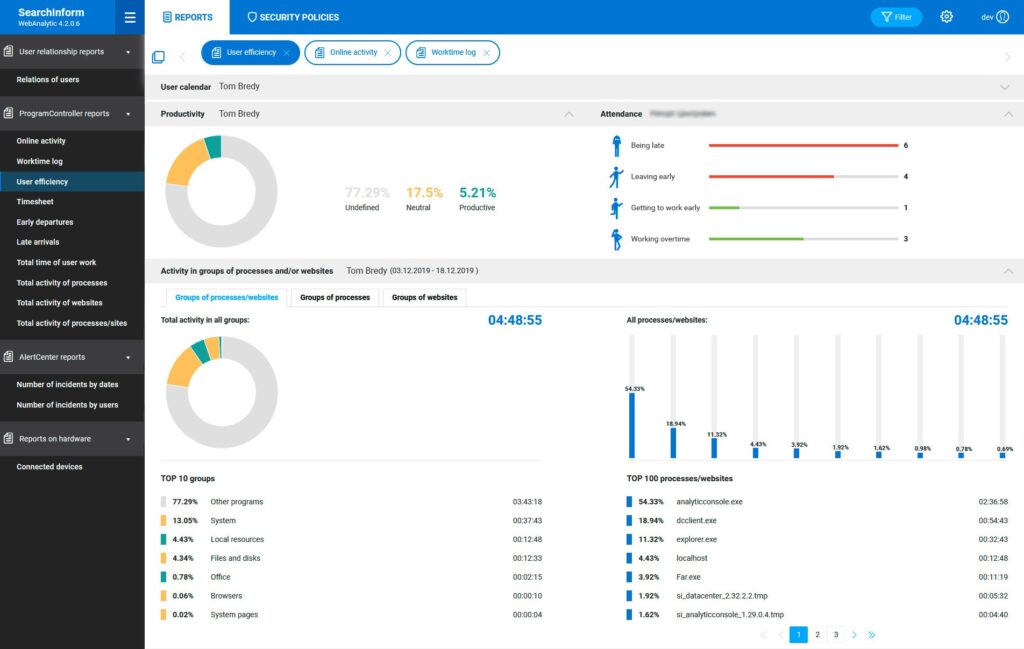
Activity reports display information on employees’ productivity, their activity in launched applications or on visited websites with performance during work hours. TimeInformer incorporates 33 pre-configured reports and the ability to create custom reports, as well as to configure forwarding of reports to the manager’s email.
- Detect late arrivals and absence: memorizes the time of arriving at and leaving from work, long breaks, being late and absent
- Detects entertainment during work hours: collects data about application and website usage, records time employees spend using them — so you can detect and set alerts for productive or non-productive time
- Detects active usage of work applications: determines whether an application was only launched or actively used (helps track false positives)
- Overloaded employees: identifies employees on the verge of burnout due to working overtime
- Automation: automatically sorts productive, unproductive activities and those not related to tasks
- Reporting: creates detailed reports on employee activities and corporate regulations violations
For more info, feel free to contact us anytime at m.prerad@searchinform.com or visit the TIMEINFORMER web page.